Customizing Appearance
The figures below demonstrate what elements of Image Uploader can be changed and which properties are responsible for the changes. If you click the property name, you will get the reference description of this property.
- Three Panes Layout
- One Pane Layout
- Image Editor
- Thumbnails View
- Tiles View
- Quality Meter
- Adding Files Dialog
- Upload Progress Dialog
- Instant Upload
- Information Bar
- Authentication Dialog
- Delete File Dialog
- Loading Content
- Unix File System
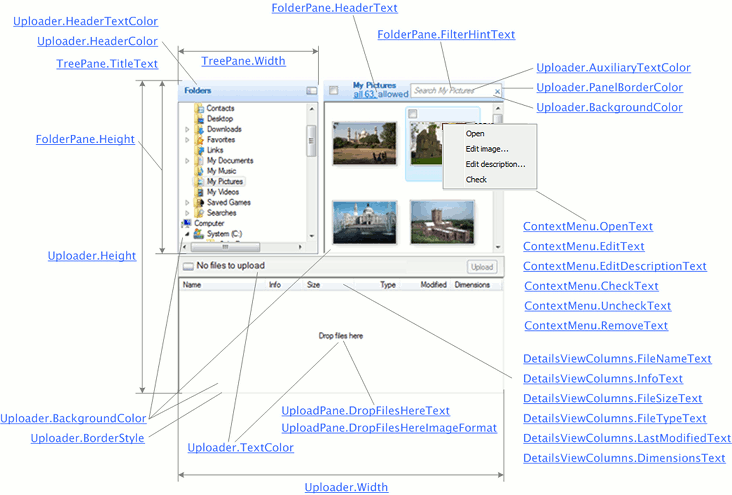
Three Panes Layout
In three panes layout Image Uploader consists of the following panes:
- Tree pane is the folder tree allowing users to navigate their file system.
- Folder pane displays the content of the currently selected folder.
- Upload pane contains files ready to be uploaded.
One Pane Layout
In one pane layout Image Uploader displays only the upload pane representing a list of files selected for upload.
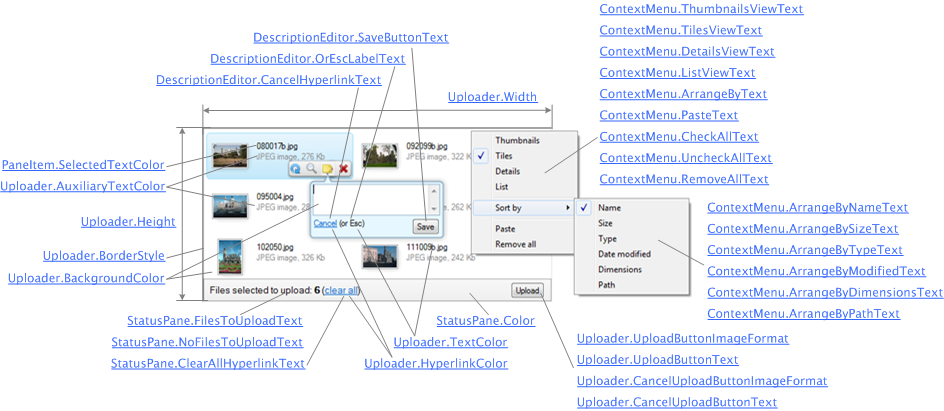
Image Editor
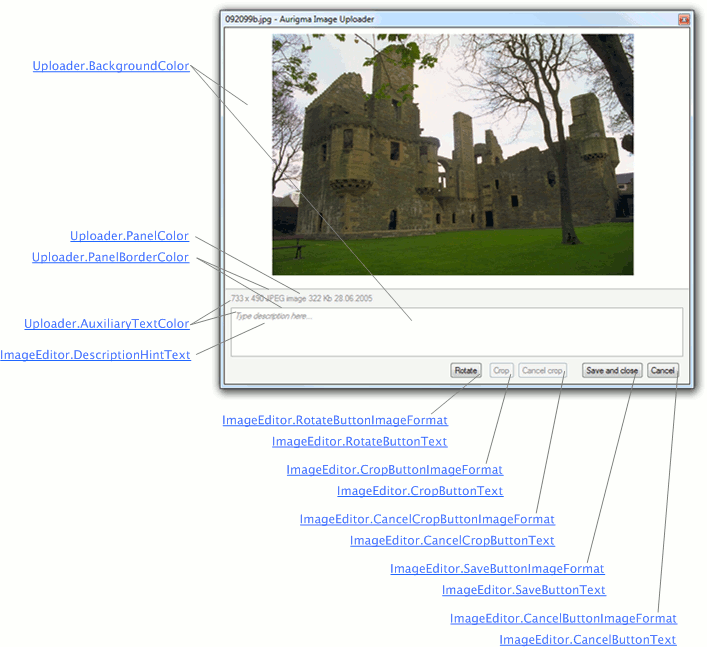
Image editor is intended to preview and edit images, and attach text descriptions.
Thumbnails View
Thumbnail view can be used in the folder pane and upload panes and in both layouts.
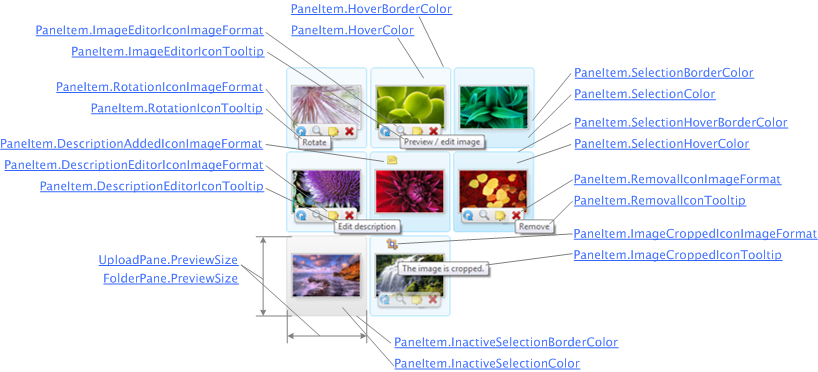
Tiles View
Tiles View is the most informative view; it can be used in the folder pane and upload panes and in both layouts.
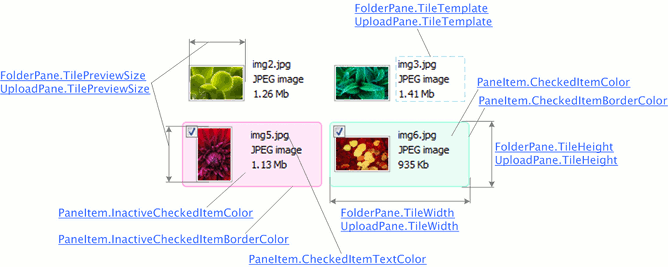
Quality Meter
Quality meter appears in the thumbnails view and indicates which formats can be used for printing certain images.
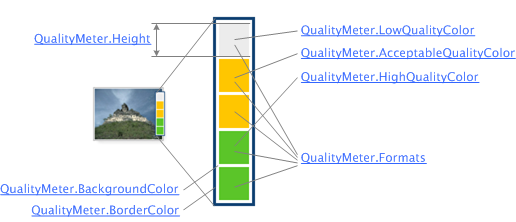
Adding Files Dialog
This dialog is displayed when a user selects a great many files.
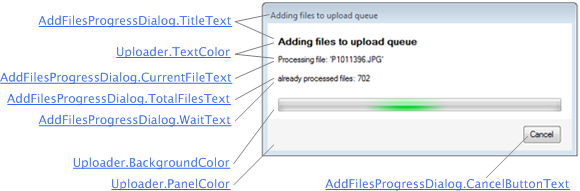
Upload Progress Dialog
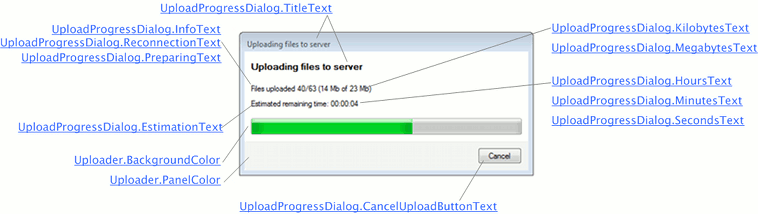
This dialog appears during the upload. It consists of a progress bar and status information.
Instant Upload
In the instant upload mode Image Uploader starts the upload process right after a user has added files to the upload pane.
Information Bar
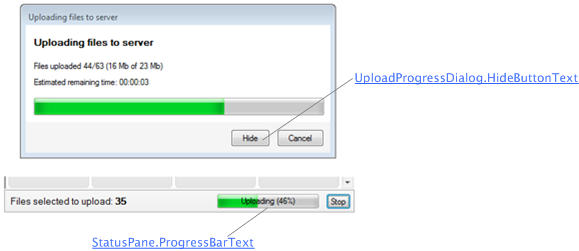
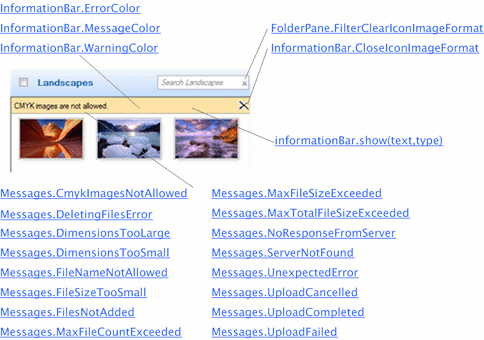
Information bar displays information, warning, and error messages.
Authentication Dialog
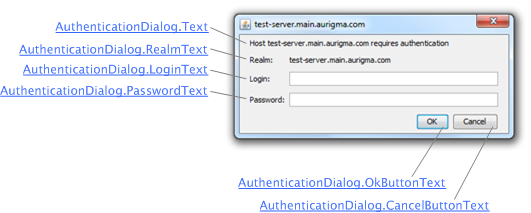
This dialog appears in non-Internet Explorer browsers when users should enter their credentials.
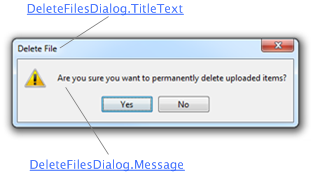
Delete File Dialog
This dialog appears in non-Internet Explorer browsers and asks users to confirm that they really want to delete uploaded files.
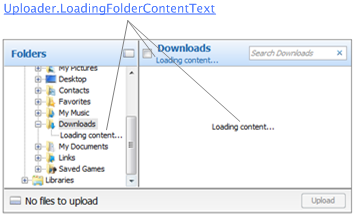
Loading Content
These labels are displayed while Image Uploader scans the folder content and builds the file list.
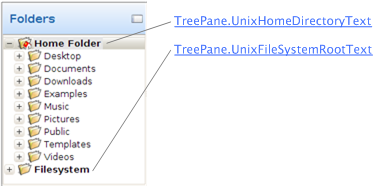
Unix File System
The tree pane on *NIX operating systems is slightly different from the tree panes on other systems. For *NIX users, you can change text that labels the home directory and the root directory.